 SEOScanInstant
Improve Website PageSpeed Score: Complete Guide to Faster Website Performance
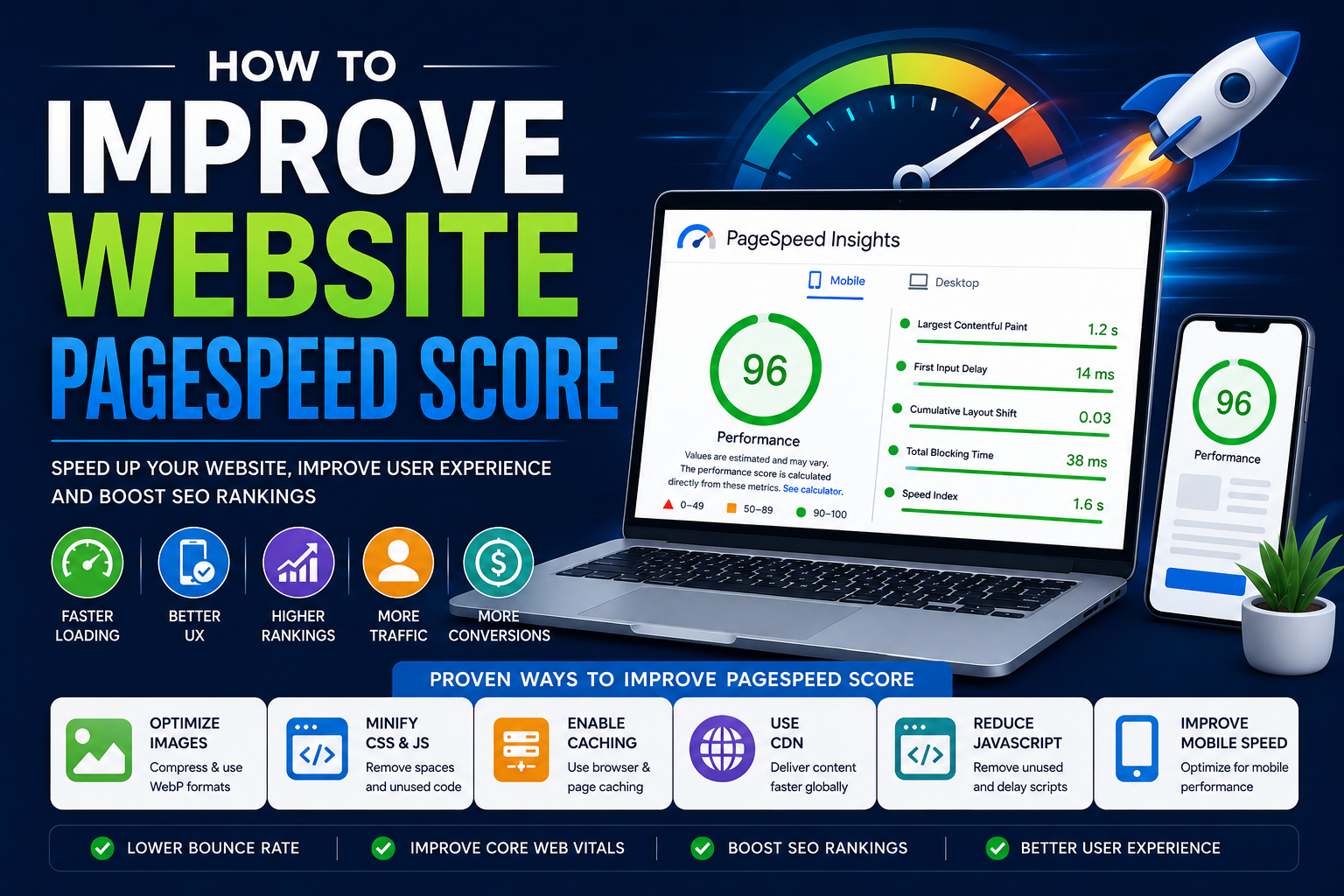
How to Improve Website PageSpeed Score
Website speed is one of the most important ranking and user experience factors in modern SEO. A slow-loading website frustrates visitors, increases bounce rate, reduces conversions, and negatively affects search engine rankings.
Search engines like Google prioritize websites that load quickly and provide a smooth browsing experience on both desktop and mobile devices.
If your website has a poor PageSpeed score, you may lose traffic, customers, and ranking opportunities even if your content is excellent.
In this complete guide, you will learn how to improve website PageSpeed score step by step using practical optimization techniques that actually work.
What Is Website PageSpeed Score?
PageSpeed score measures how fast and optimized your website is for users. It evaluates loading performance, responsiveness, visual stability, and overall user experience.
The most commonly used speed testing tool is Google PageSpeed Insights.
This tool analyzes:
Mobile performance
Desktop performance
Core Web Vitals
Loading speed
Render-blocking resources
Image optimization
JavaScript execution
Layout stability
A PageSpeed score ranges from:
90–100 = Good
50–89 = Needs Improvement
Below 50 = Poor
Why Website Speed Is Important
Website speed directly affects:
SEO rankings
User experience
Bounce rate
Conversion rate
Revenue
Crawl efficiency
Mobile usability
A faster website keeps users engaged and encourages them to explore more pages.
Studies consistently show that even a one-second delay in loading time can reduce conversions significantly.
Common Reasons for Poor PageSpeed Score
Before fixing speed problems, you need to understand what causes them.
Common issues include:
Large uncompressed images
Slow hosting
Too many plugins
Heavy JavaScript
Render-blocking CSS
No caching
Excessive third-party scripts
Poor mobile optimization
Large DOM size
Unoptimized fonts
No CDN setup
How to Improve Website PageSpeed Score
Now let’s go step by step.
1. Optimize Images Properly
Images are one of the biggest reasons websites become slow.
Compress Images
Always compress images before uploading them.
Large image files increase loading time significantly.
Use tools like:
TinyPNG
ImageOptim
Squoosh
Use Modern Image Formats
Replace JPG and PNG files with:
WebP
AVIF
These formats provide better quality with smaller file sizes.
Resize Images Correctly
Do not upload oversized images.
For example:
Avoid uploading a 4000px image if the website only displays 800px.
Enable Lazy Loading
Lazy loading delays image loading until users scroll near them.
Example:
<img src="image.webp" loading="lazy" alt="SEO Optimization">
This improves initial page speed significantly.
2. Improve Hosting Performance
Cheap hosting often creates slow websites.
Choose Fast Hosting
Use:
VPS hosting
Cloud hosting
SSD servers
LiteSpeed hosting
Better hosting improves:
Server response time
Time To First Byte (TTFB)
Stability
Use Latest PHP Version
If your website uses PHP, upgrade to:
PHP 8.2
PHP 8.3
Newer PHP versions provide better performance and security.
3. Enable Website Caching
Caching stores static files locally so repeat visits load faster.
Browser Caching
Browser caching stores:
Images
CSS
JavaScript
Fonts
Example .htaccess configuration:
<IfModule mod_expires.c>
ExpiresActive On
ExpiresByType image/webp "access plus 1 year"
ExpiresByType text/css "access plus 1 month"
ExpiresByType application/javascript "access plus 1 month"
</IfModule>
Page Caching
Page caching generates static HTML versions of pages.
This reduces server processing time.
4. Minify CSS, JavaScript, and HTML
Minification removes:
Spaces
Comments
Unused code
This reduces file sizes.
Tools can automatically minify:
CSS
JS
HTML
Smaller files load faster.
5. Remove Render-Blocking Resources
Render-blocking CSS and JavaScript delay page rendering.
Use Async and Defer
Example:
<script src="script.js" defer></script>
This allows pages to load before JavaScript executes.
Inline Critical CSS
Critical CSS loads important above-the-fold styles first.
This improves perceived loading speed.
6. Use a Content Delivery Network (CDN)
A CDN stores website files across multiple servers worldwide.
Benefits:
Faster global loading
Reduced latency
Lower server load
Improved stability
Popular CDN providers:
Cloudflare
BunnyCDN
KeyCDN
7. Improve Core Web Vitals
Core Web Vitals are extremely important for PageSpeed optimization.
Largest Contentful Paint (LCP)
Measures loading speed of main content.
Improve LCP by:
Compressing hero images
Using CDN
Faster hosting
Removing heavy scripts
Interaction to Next Paint (INP)
Measures responsiveness.
Improve INP by:
Reducing JavaScript
Removing unnecessary plugins
Splitting heavy tasks
Cumulative Layout Shift (CLS)
Measures layout stability.
Improve CLS by:
Setting image dimensions
Reserving ad space
Avoiding layout jumps
8. Reduce JavaScript Usage
Heavy JavaScript slows websites dramatically.
Remove Unused JavaScript
Delete:
Old plugins
Unused scripts
Unnecessary libraries
Delay Non-Critical JavaScript
Delay:
Analytics
Chat widgets
Social media embeds
This speeds up initial rendering.
9. Optimize Fonts
Custom fonts can slow loading.
Limit Font Variants
Avoid loading:
Too many font weights
Multiple font families
Preload Important Fonts
Example:
<link rel="preload" href="font.woff2" as="font" type="font/woff2" crossorigin>
10. Reduce Third-Party Scripts
Third-party scripts often hurt PageSpeed.
Examples:
Ads
Tracking tools
Live chat
Social widgets
Remove unnecessary scripts whenever possible.
11. Optimize Mobile Performance
Mobile PageSpeed is usually harder to optimize.
Use Responsive Design
Responsive websites load better on mobile devices.
Reduce Mobile Payload
Minimize:
Large images
Heavy animations
Background videos
Prioritize Mobile Speed
Google uses mobile-first indexing.
Mobile optimization is critical.
12. Optimize Database Performance
Dynamic websites often suffer from database bloat.
Clean Database Regularly
Remove:
Spam comments
Old revisions
Expired transients
Unused tables
Optimize Queries
Slow database queries reduce website speed.
Use indexing and optimized SQL queries.
13. Reduce Redirects
Too many redirects slow down websites.
Avoid:
Redirect chains
Redirect loops
Use direct 301 redirects only when necessary.
14. Enable Compression
Compression reduces file transfer size.
Use GZIP or Brotli
Example:
<IfModule mod_deflate.c>
AddOutputFilterByType DEFLATE text/html text/css application/javascript
</IfModule>
Compression improves loading speed significantly.
15. Preconnect to External Domains
If your website uses external services, preconnect to them.
Example:
<link rel="preconnect" href="https://fonts.gstatic.com" crossorigin>
This reduces connection delays.
Best Tools to Check Website Speed
Google PageSpeed Insights
Official Google performance testing tool.
Useful for:
Core Web Vitals
Mobile speed
Desktop speed
Optimization suggestions
GTmetrix
Provides detailed waterfall reports and loading analysis.
WebPageTest
Advanced testing platform for developers.
Lighthouse
Built into Chrome Developer Tools.
Internal SEO Resources
You can also improve website performance using:
External SEO Resources
Useful official resources:
Website Speed Optimization Checklist
✅ Compress all images
✅ Use WebP images
✅ Enable browser caching
✅ Minify CSS and JavaScript
✅ Remove unused plugins
✅ Use CDN
✅ Improve Core Web Vitals
✅ Reduce redirects
✅ Enable compression
✅ Optimize mobile experience
✅ Delay non-critical scripts
✅ Use fast hosting
✅ Optimize fonts
✅ Remove render-blocking resources
✅ Clean database regularly
Final Thoughts
Website speed optimization is essential for SEO, user experience, and conversions. Even the best-designed websites can struggle if they load slowly.
Improving PageSpeed score requires a combination of:
Better hosting
Optimized images
Efficient coding
Reduced scripts
Strong caching
Mobile optimization
Core Web Vitals improvements
Focus on real user experience rather than chasing perfect scores only.
A fast website helps:
Increase organic traffic
Improve rankings
Reduce bounce rate
Boost conversions
Improve customer satisfaction
If you want to identify website speed issues quickly and improve overall SEO performance, use SEOScanInstant to analyze your website and detect optimization opportunities instantly.