 SEOScanInstant
How to Fix Technical SEO Issues: Complete Guide 2026
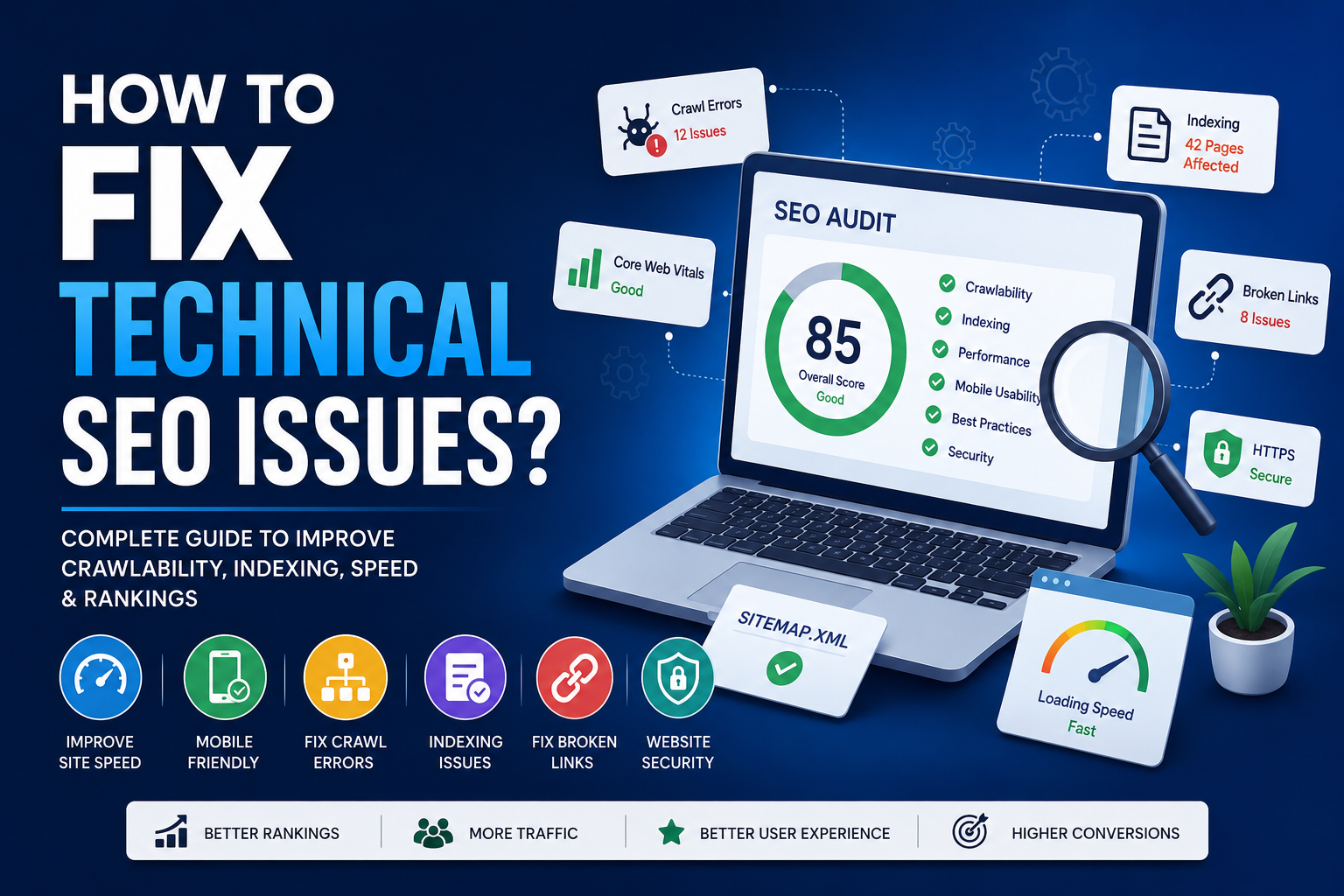
Many website owners focus only on writing blog posts or adding keywords, but they ignore hidden technical SEO issues. These problems can quietly reduce your visibility on Google and other search engines. Slow loading pages, broken links, duplicate URLs, poor mobile experience, missing sitemap, and indexing errors can all damage your SEO performance.
In this guide, you will learn how to fix technical SEO issues step by step. This article is written for website owners, bloggers, developers, marketers, and business owners who want to improve organic traffic and search engine rankings.
What Is Technical SEO?
Technical SEO is the process of improving the technical structure of a website so search engines can crawl, index, and rank pages more effectively. It focuses on website performance, accessibility, security, page speed, mobile usability, structured data, URL structure, and site architecture.
Unlike content SEO, which focuses on keywords and writing, technical SEO focuses on how your website works behind the scenes. A technically strong website gives search engines a clear path to discover and understand your content.
Why Technical SEO Is Important
Technical SEO directly affects your website visibility, rankings, user experience, and conversions. If your website has serious technical problems, search engines may not index your important pages correctly.
A technically optimized website helps you:
- Improve crawlability and indexing
- Increase organic search traffic
- Improve page loading speed
- Reduce bounce rate
- Improve mobile user experience
- Strengthen website trust and security
- Improve Core Web Vitals performance
- Support better search engine rankings
Common Technical SEO Issues
Before you fix technical SEO issues, you need to understand the most common problems. These issues can appear on small websites, WordPress blogs, eCommerce stores, SaaS websites, and large business websites.
1. Slow Website Speed
Website speed is one of the most common technical SEO issues. A slow website creates a poor user experience and can reduce conversions. Visitors do not like waiting for pages to load, especially on mobile devices.
Common causes of slow website speed include large images, heavy JavaScript files, unoptimized CSS, poor hosting, too many plugins, and no caching system.
2. Mobile Usability Problems
Most users browse websites from mobile devices. If your website is not mobile-friendly, users may leave quickly. Search engines also use mobile-first indexing, which means the mobile version of your website is very important.
Common mobile SEO issues include small text, buttons too close together, content wider than the screen, slow mobile loading, and intrusive popups.
3. Crawl Errors
Crawl errors happen when search engine bots cannot properly access your website pages. These errors can prevent important pages from being discovered.
Crawl issues may be caused by broken links, server errors, blocked robots.txt rules, redirect loops, or deleted pages returning 404 errors.
4. Indexing Issues
Indexing issues occur when a page exists on your website but does not appear in search results. Sometimes pages are blocked by noindex tags, canonical errors, poor internal linking, or sitemap problems.
5. Duplicate Content
Duplicate content happens when similar or identical content appears on multiple URLs. This can confuse search engines and divide ranking signals between different pages.
Duplicate content can be caused by HTTP and HTTPS versions, www and non-www versions, URL parameters, copied product descriptions, tags, categories, and pagination.
6. Poor Core Web Vitals
Core Web Vitals are performance signals that measure real user experience. They include loading performance, interaction speed, and visual stability.
Poor Core Web Vitals can affect both SEO and user satisfaction. Important metrics include Largest Contentful Paint, Interaction to Next Paint, and Cumulative Layout Shift.
How to Fix Technical SEO Issues Step by Step
1. Run a Complete Technical SEO Audit
The first step is to audit your website. A technical SEO audit helps you find hidden problems that may be affecting your rankings. You should check your website speed, sitemap, robots.txt file, indexing status, broken links, redirects, meta tags, headings, image alt text, and structured data.
You can use SEOScanInstant to scan your website and identify technical SEO errors quickly. A proper website SEO audit gives you a clear list of issues that need attention.
2. Improve Website Loading Speed
Site speed is critical for technical SEO. Fast websites provide better user experience and help search engines crawl more pages efficiently.
To improve website speed, start by compressing your images. Use modern image formats like WebP where possible. Avoid uploading large images directly from cameras or design tools without resizing them.
You should also minify CSS, JavaScript, and HTML files. Minification removes unnecessary spaces, comments, and unused code. This reduces file size and helps pages load faster.
Browser caching is another important step. Caching stores website files in the visitor’s browser so repeat visits load faster. If your website uses WordPress, you can use caching plugins. If you use custom PHP or static HTML, you can enable caching through your server or .htaccess file.
3. Fix Mobile SEO Problems
Your website must work properly on all screen sizes. Use responsive design so your layout adjusts automatically on mobile, tablet, and desktop devices.
Check your website on different mobile screens. Make sure text is readable, buttons are easy to tap, images fit the screen, and menus are simple to use.
Avoid large popups that cover the main content. Popups can damage mobile experience and increase bounce rate.
4. Fix Crawl Errors
Crawl errors should be fixed as soon as possible. Search engines need clean access to your important pages.
Start by checking broken links. If a page has been deleted, redirect it to a relevant active page using a 301 redirect. If the page was removed permanently and has no replacement, allow it to return a proper 404 status.
Avoid redirect chains. A redirect chain happens when one URL redirects to another URL, and that URL redirects again. This slows down crawling and wastes crawl budget.
5. Optimize Robots.txt
The robots.txt file tells search engines which parts of your website they can or cannot crawl. A wrong robots.txt rule can block important pages from search engines.
Make sure you are not blocking important folders, CSS files, JavaScript files, or blog pages. You can block private admin areas, temporary files, and duplicate system pages.
Example:
User-agent: *
Allow: /
Disallow: /admin/
Sitemap: https://seoscaninstant.com/sitemap.xml
6. Submit an XML Sitemap
An XML sitemap helps search engines discover your important pages. Your sitemap should include only indexable and important URLs.
Do not include broken URLs, redirected URLs, duplicate pages, admin pages, or noindex pages inside your sitemap.
After creating your sitemap, submit it in Google Search Console. Update your sitemap whenever you publish new important pages.
7. Fix Indexing Problems
If important pages are not appearing in search results, check whether they are blocked by noindex tags or robots.txt rules.
Also check canonical tags. If a page points to another URL as canonical, search engines may not index the current page.
Improve internal linking to important pages. Pages without internal links are called orphan pages. Search engines may find them difficult to discover.
8. Fix Duplicate Content
Duplicate content should be handled carefully. Use canonical tags to tell search engines which version of a page is the main version.
You should also redirect duplicate versions of your website. For example, choose one preferred version between www and non-www, and between HTTP and HTTPS.
If you have similar product pages or category pages, make sure each page has unique content, unique titles, and useful descriptions.
9. Improve Core Web Vitals
Core Web Vitals are important for both SEO and user experience. To improve Largest Contentful Paint, optimize your main images, reduce server response time, and remove render-blocking resources.
To improve Cumulative Layout Shift, always define image width and height. Reserve space for ads, banners, and embedded content so the layout does not jump while loading.
To improve Interaction to Next Paint, reduce heavy JavaScript, remove unnecessary third-party scripts, and keep your website lightweight.
10. Use HTTPS
HTTPS protects user data and improves trust. Every website should use an SSL certificate. After installing SSL, redirect all HTTP URLs to HTTPS.
Also update internal links, canonical tags, sitemap URLs, and image URLs to use HTTPS.
11. Add Structured Data
Structured data helps search engines understand your content better. Google officially recommends using structured data markup to improve search appearance and enhance rich results visibility.
Common schema types include Article schema, FAQ schema, Product schema, Review schema, Organization schema, Local Business schema, and Breadcrumb schema.
Use JSON-LD format because it is clean and easy to manage.
12. Optimize Page Titles and Meta Descriptions
Every important page should have a unique title tag and meta description. Your title should include the main keyword naturally and encourage users to click.
Keep titles clear and concise. Meta descriptions should explain the page benefit and include relevant keywords naturally.
13. Fix Broken Internal and External Links
Broken links create a poor user experience and waste crawl budget. Regularly scan your website for broken internal and external links.
Update links that point to deleted pages. Remove unnecessary broken links or replace them with active resources.
14. Improve Internal Linking
Internal linking helps search engines understand your website structure. It also helps users discover related content.
Link from high-authority pages to important pages. Use descriptive anchor text instead of generic text like “click here.”
15. Optimize Images for SEO
Images can affect both speed and SEO. Use descriptive file names and alt text. Compress all images before uploading.
Example of a good image file name:
technical-seo-audit-checklist.webpExample of good alt text:
Technical SEO audit checklist for fixing website SEO issuesTechnical SEO Checklist
- Website uses HTTPS
- Pages load fast on desktop and mobile
- Website is mobile-friendly
- XML sitemap is submitted
- Robots.txt is properly configured
- No important pages are blocked
- No broken internal links
- No redirect chains or loops
- Canonical tags are correct
- Duplicate content is fixed
- Core Web Vitals are optimized
- Structured data is added
- Images are compressed and include alt text
- Important pages have internal links
- Titles and meta descriptions are unique
- Website uses HTTPS
- Pages load fast on desktop and mobile
- Website is mobile-friendly
- XML sitemap is submitted
- Robots.txt is properly configured
- No important pages are blocked
- No broken internal links
- No redirect chains or loops
- Canonical tags are correct
- Duplicate content is fixed
- Core Web Vitals are optimized
- Structured data is added
- Images are compressed and include alt text
- Important pages have internal links
- Titles and meta descriptions are unique
Best Tools to Find Technical SEO Issues
You can use different tools to find and fix technical SEO issues. Google Search Console helps you check indexing, crawl errors, sitemap status, and Core Web Vitals. Google PageSpeed Insights helps you analyze website speed and performance. You can also use SEOScanInstant to perform a complete website SEO audit and detect technical SEO problems quickly.
You can measure your website performance using Google Core Web Vitals documentation to better understand loading speed, responsiveness, and visual stability.
SEOScanInstant is useful for quickly checking SEO issues, technical errors, meta tags, headings, performance problems, and website audit results in one place.
How Often Should You Run a Technical SEO Audit?
Technical SEO is not a one-time task. Websites change regularly, and new problems can appear after updates, redesigns, plugin changes, hosting changes, or content publishing.
You should run a technical SEO audit at least once a month. You should also audit your website after major changes, migrations, traffic drops, ranking drops, or new feature launches.
Related SEO Guides
Final Thoughts
Technical SEO is the backbone of a strong website. If your site has crawl errors, indexing problems, slow speed, duplicate content, or poor mobile usability, your rankings can suffer even if your content is good.
Start with a full website SEO audit. Then fix the most important problems first, such as indexing issues, HTTPS problems, broken links, mobile usability, and Core Web Vitals. After that, continue improving speed, structured data, internal linking, and content quality.
A technically optimized website gives users a better experience and helps search engines understand your pages more clearly.
Check Your Website SEO Instantly
Use SEOScanInstant to find technical SEO issues, meta tag problems, speed issues, and website optimization errors.
Scan Your Website Now
Use SEOScanInstant to find technical SEO issues, meta tag problems, speed issues, and website optimization errors.
Scan Your Website NowFrequently Asked Questions
What are technical SEO issues?
Technical SEO issues are website problems that affect crawling, indexing, speed, mobile usability, security, structure, and search engine visibility.
Technical SEO issues are website problems that affect crawling, indexing, speed, mobile usability, security, structure, and search engine visibility.
How do I fix technical SEO issues?
Start with a technical SEO audit. Then fix crawl errors, indexing problems, broken links, slow pages, duplicate content, mobile usability issues, and Core Web Vitals.
Start with a technical SEO audit. Then fix crawl errors, indexing problems, broken links, slow pages, duplicate content, mobile usability issues, and Core Web Vitals.
Why is technical SEO important?
Technical SEO helps search engines crawl and understand your website. It also improves user experience, page speed, mobile performance, and organic search visibility.
Technical SEO helps search engines crawl and understand your website. It also improves user experience, page speed, mobile performance, and organic search visibility.
How often should I check technical SEO?
You should check technical SEO at least once a month and after every major website update, redesign, migration, or ranking drop.
Use SEOScanInstant to detect technical SEO issues, improve Core Web Vitals, optimize website speed, fix indexing problems, and improve your overall search rankings.
You should check technical SEO at least once a month and after every major website update, redesign, migration, or ranking drop.
Use SEOScanInstant to detect technical SEO issues, improve Core Web Vitals, optimize website speed, fix indexing problems, and improve your overall search rankings.